

Database Search Explained. Four ways to find a row.
B-tree, trigram, full-text, and vector search in plain language: what each one solves, where it fails, and how real applications combine them.
Imagine an app where people can search for products, articles, or users.
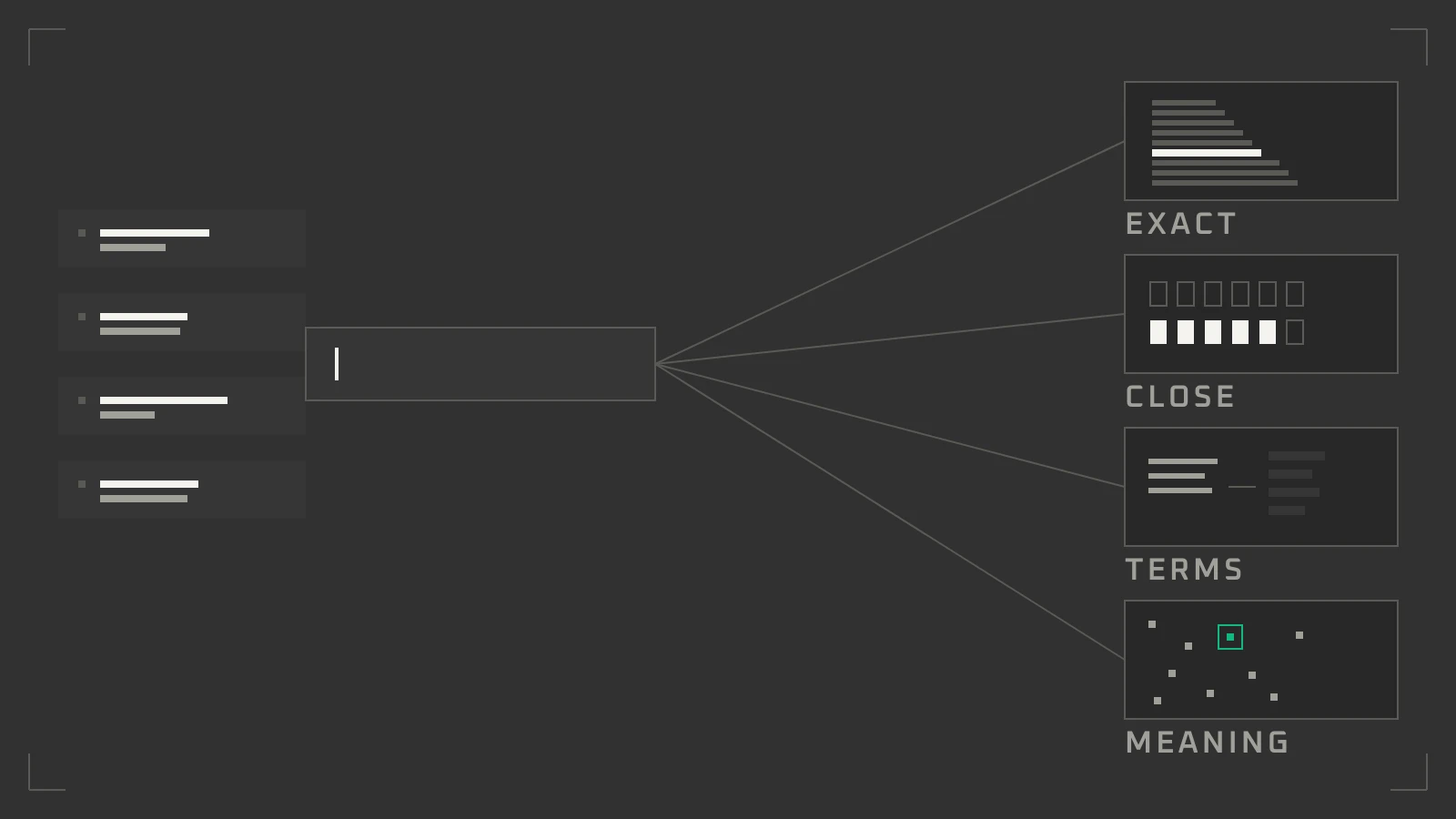
One types an exact username. One misspells a product name. One looks for an article about a topic. One asks a question in completely different words.
All four are searching. They are not asking the database to do the same job.
Database search is not one feature. It is four tools, and each one answers a different question.
1. B-Tree: Is This Exact Value Here?
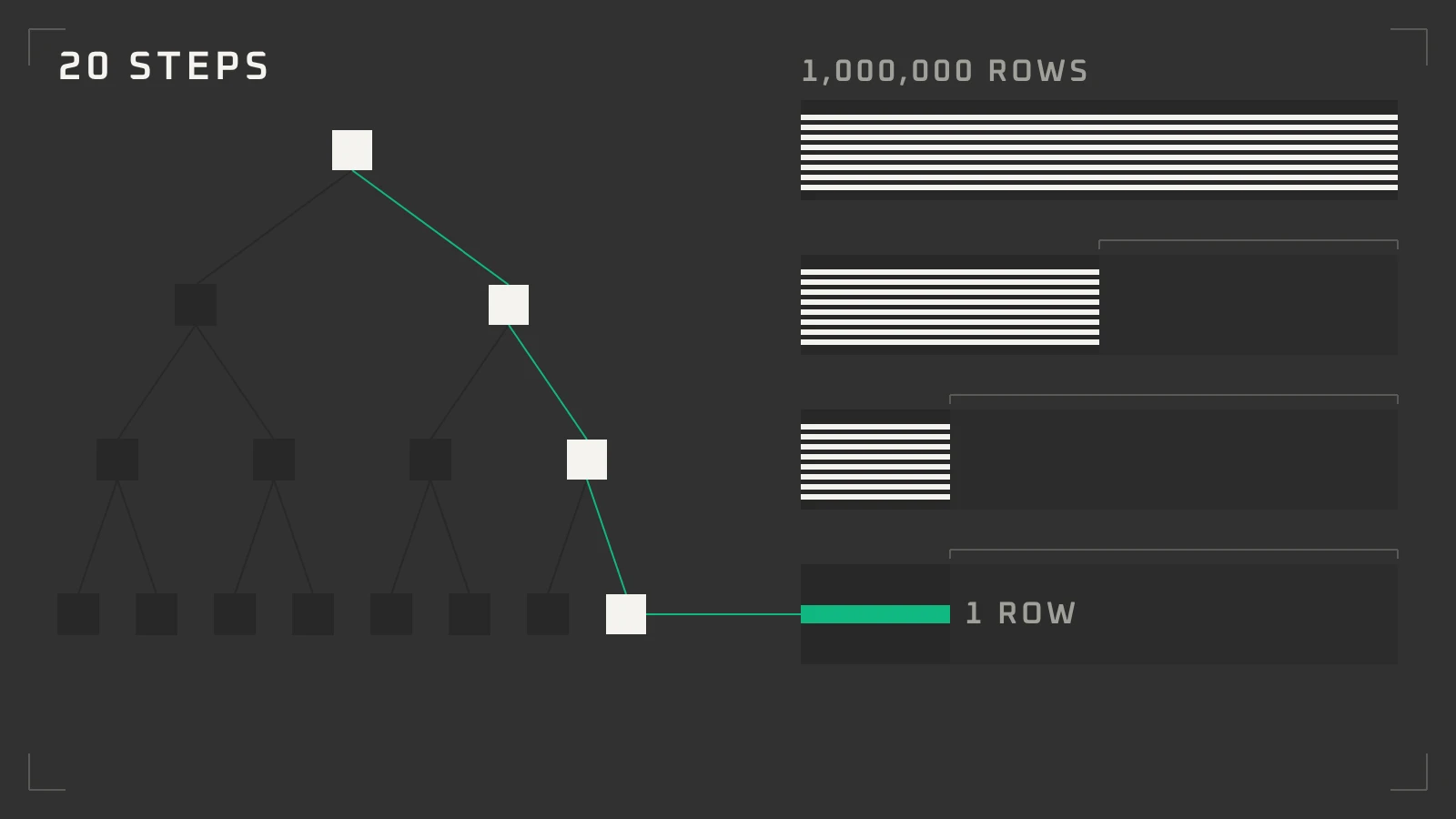
A B-tree is the default index in Postgres. It keeps values sorted in a balanced tree.
Think of a phone book. Open the middle. Decide whether your name is before or after that page. Repeat. Every step cuts the remaining pages in half, so a million rows take about twenty steps.
That is why a B-tree handles exact matches and ranges: WHERE email = 'sam@example.com', WHERE price BETWEEN 20 AND 50, ORDER BY last_name. It also helps a prefix search such as LIKE 'Postgres%'.
It cannot guess. A misspelling is a different value, and a word hidden in the middle of a title gives it no place to start.
Use a B-tree when the visitor knows what they want.
2. Trigram: Did They Mean This?
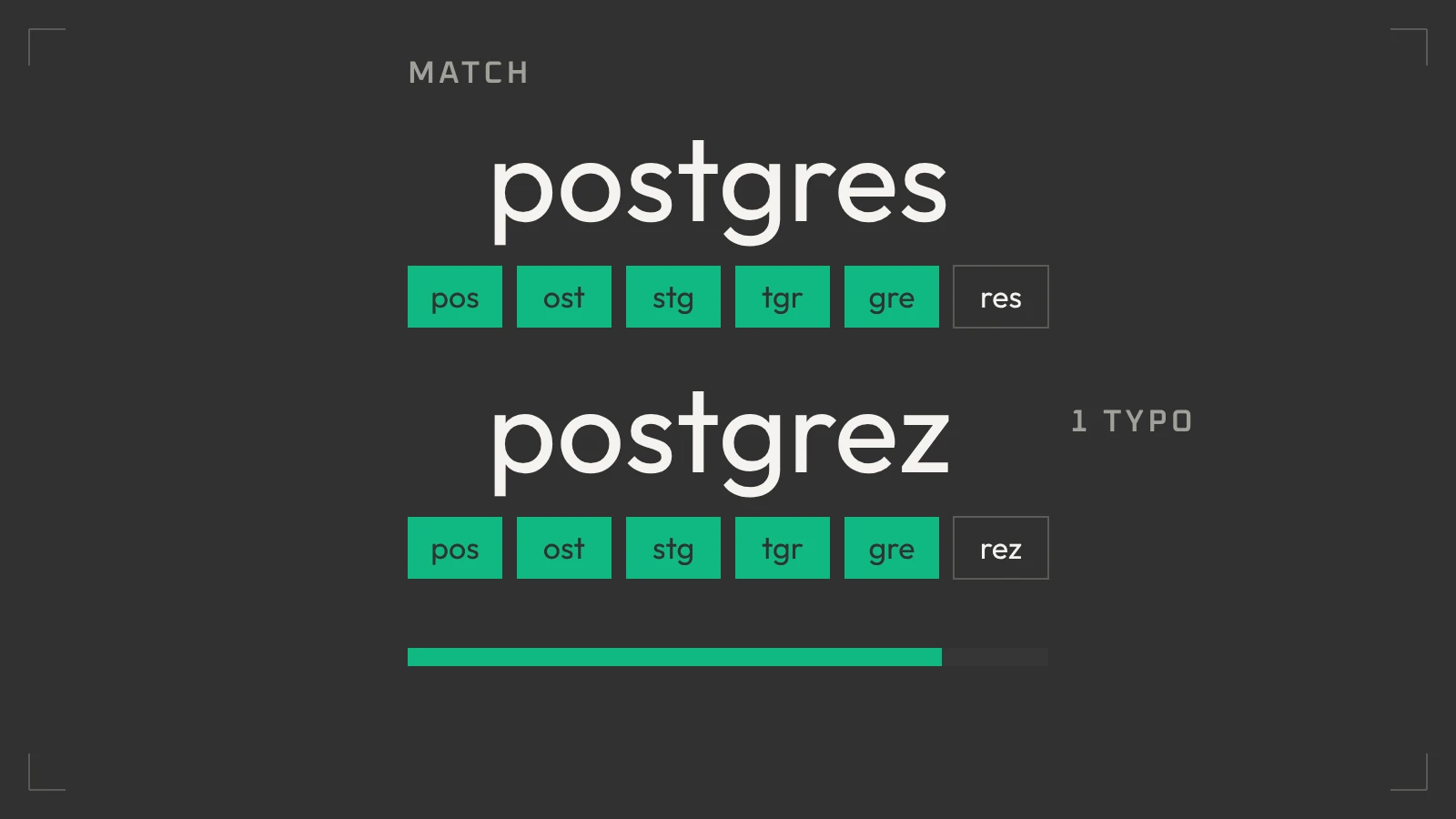
A trigram is a three-letter slice of a word. “postgres” becomes “pos”, “ost”, “stg”, “tgr”, “gre”, “res”.
Two words are similar when they share many slices. The pg_trgm extension scores that overlap and returns a number between 0 and 1 through similarity(). A typo changes a few slices, not all of them, so “postgrez” still matches “postgres”.
Turn it on once per database, then add a GIN or GiST index.
Trigrams fit names, usernames, product codes, and short titles. They do not fit long articles: a paragraph has hundreds of slices, the index grows fast, and a partial match stops meaning anything.
Use trigrams to forgive the visitor, not to understand them.
3. Full-Text: Does This Document Use These Words?
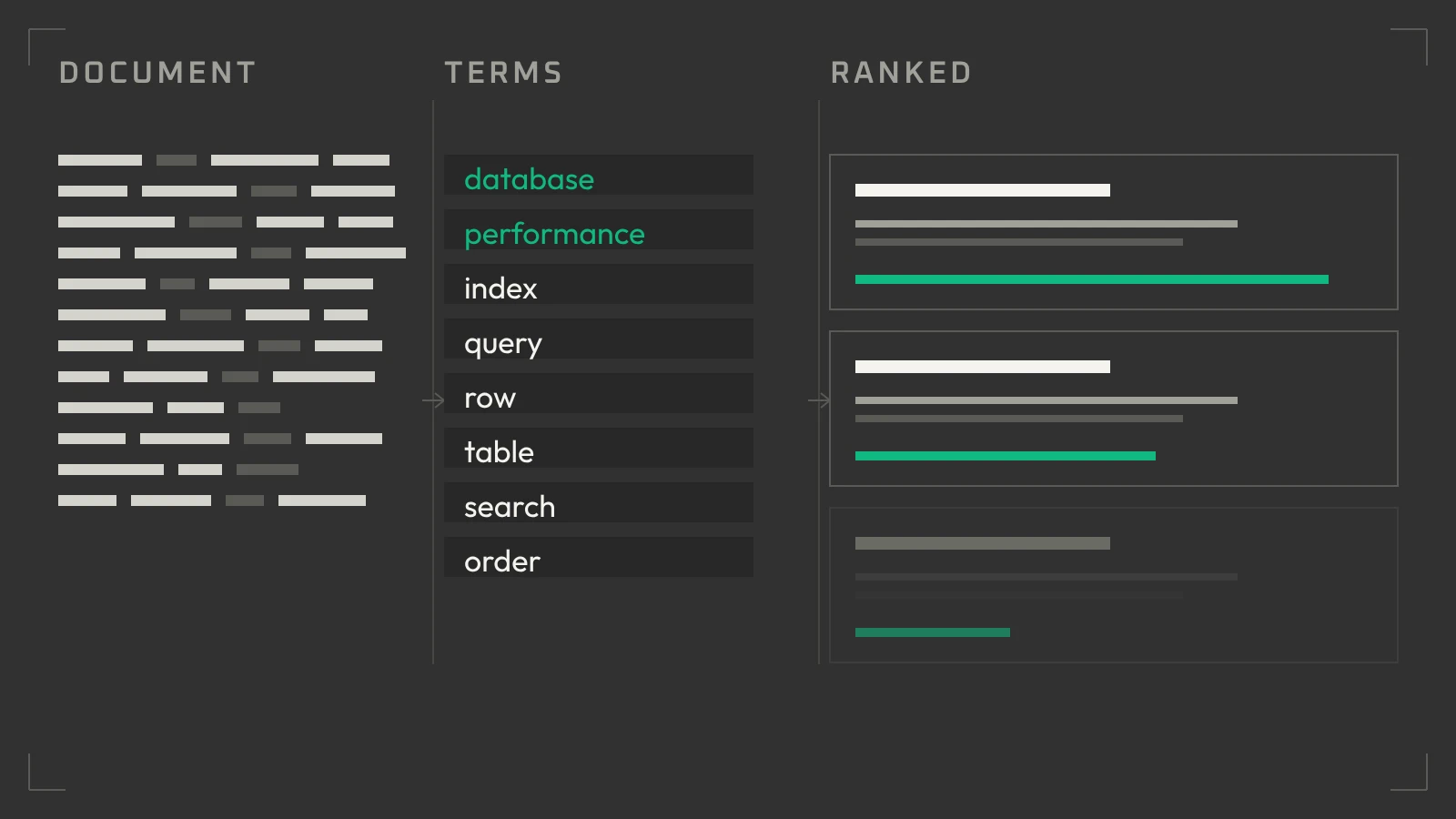
A full-text index turns a document into terms, then records which document holds which term.
Before that, it cleans the text:
- Lowercase, so “Database” and “database” are one term.
- Stemming, so “running”, “runs”, and “ran” become one root.
- Stop words such as “the” and “of” are dropped.
- Positions are stored, so words that sit close together rank higher.
Postgres does this itself. to_tsvector turns a document into terms, to_tsquery expresses the query, and a GIN index makes the lookup fast. ts_rank then sorts the matches by strength.
Search a blog for “database performance” and you get posts that use those words, ranked by how well they use them.
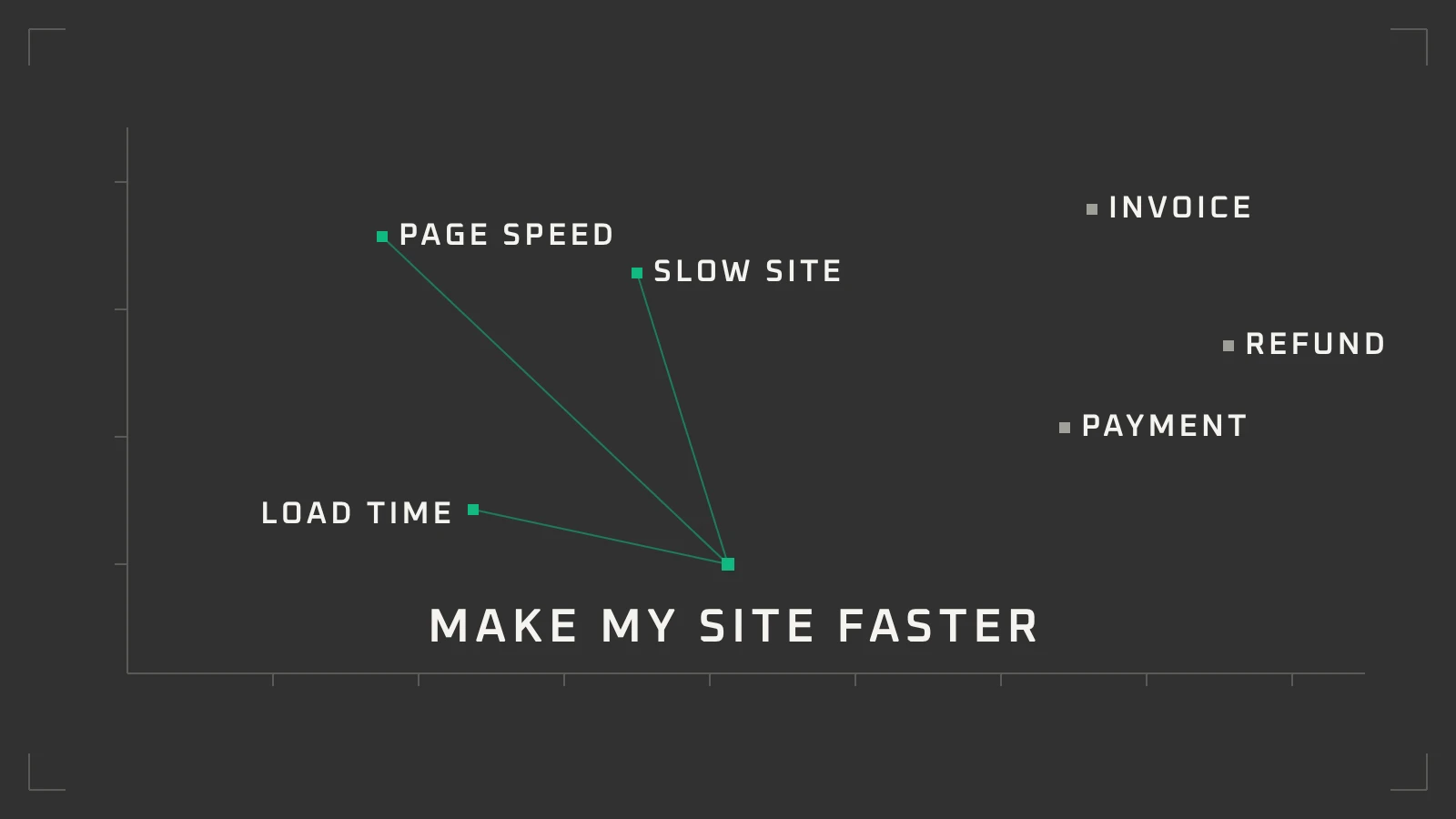
The limit is vocabulary. It matches words, not meaning. “Make my site load faster” will not find “improve page speed” unless the words overlap. It knows a term is there. It does not know the sentence answers the question.
4. Vector: What Did They Actually Mean?
An embedding model turns text into a list of numbers. Each number is a coordinate. Text with similar meaning lands at nearby coordinates, even when the words are different.
Picture a map of ideas. “Page speed”, “slow website”, and “performance budget” sit in one region. “Invoice” and “refund” sit somewhere else. Nobody drew that map. The model learned the distances.
Then it is arithmetic. Cosine similarity or distance finds the nearest neighbours to the query, and those neighbours are the closest matches in meaning.
So “ways to make my website faster” can return an article about page-load performance, even if the two share no words.
Vector search is not a truth machine. Near is not the same as correct. Results can look right and be wrong. Quality depends on the model, how the text was split, and whether the split kept its meaning. Embeddings also cost money to create and store, and must be rebuilt when the content or the model changes.
In Postgres, the pgvector extension adds a vector column and approximate indexes (HNSW and IVFFlat).
Use vectors when the wording is unpredictable and meaning is the point.
5. Which One Do You Need?
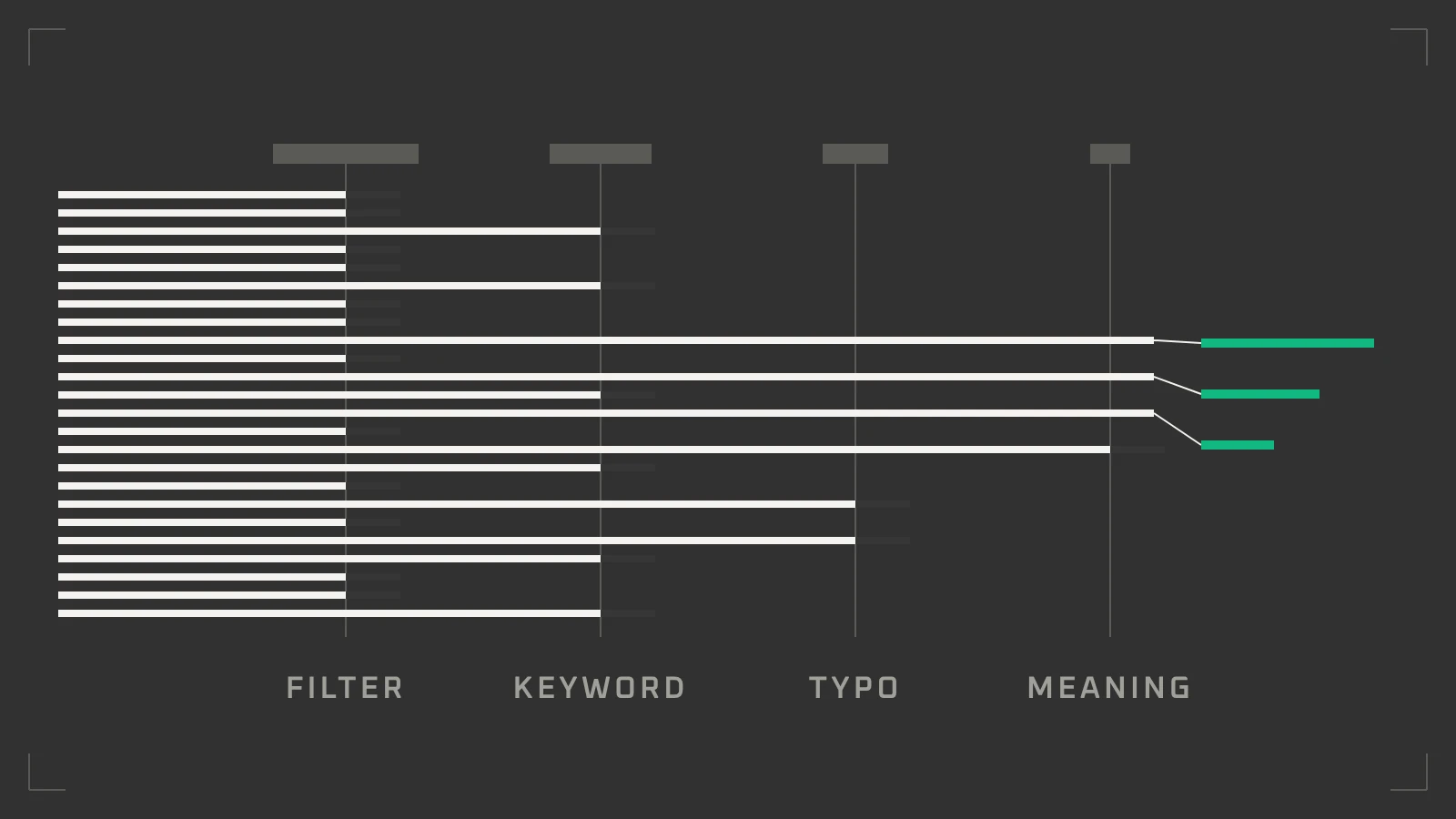
Most apps need more than one, because users ask more than one kind of question.
| Method | Answers | Use it for | Weak at |
|---|---|---|---|
| B-tree | Is this value here? | Exact matches, ranges, sorting | Typos, partial words |
| Trigram | Is this close to it? | Names, codes, short titles | Long text, meaning |
| Full-text | Does this document use it? | Articles, descriptions, documents | Synonyms, intent |
| Vector | Is this about it? | Meaning, similarity, AI retrieval | Exact values, truth |
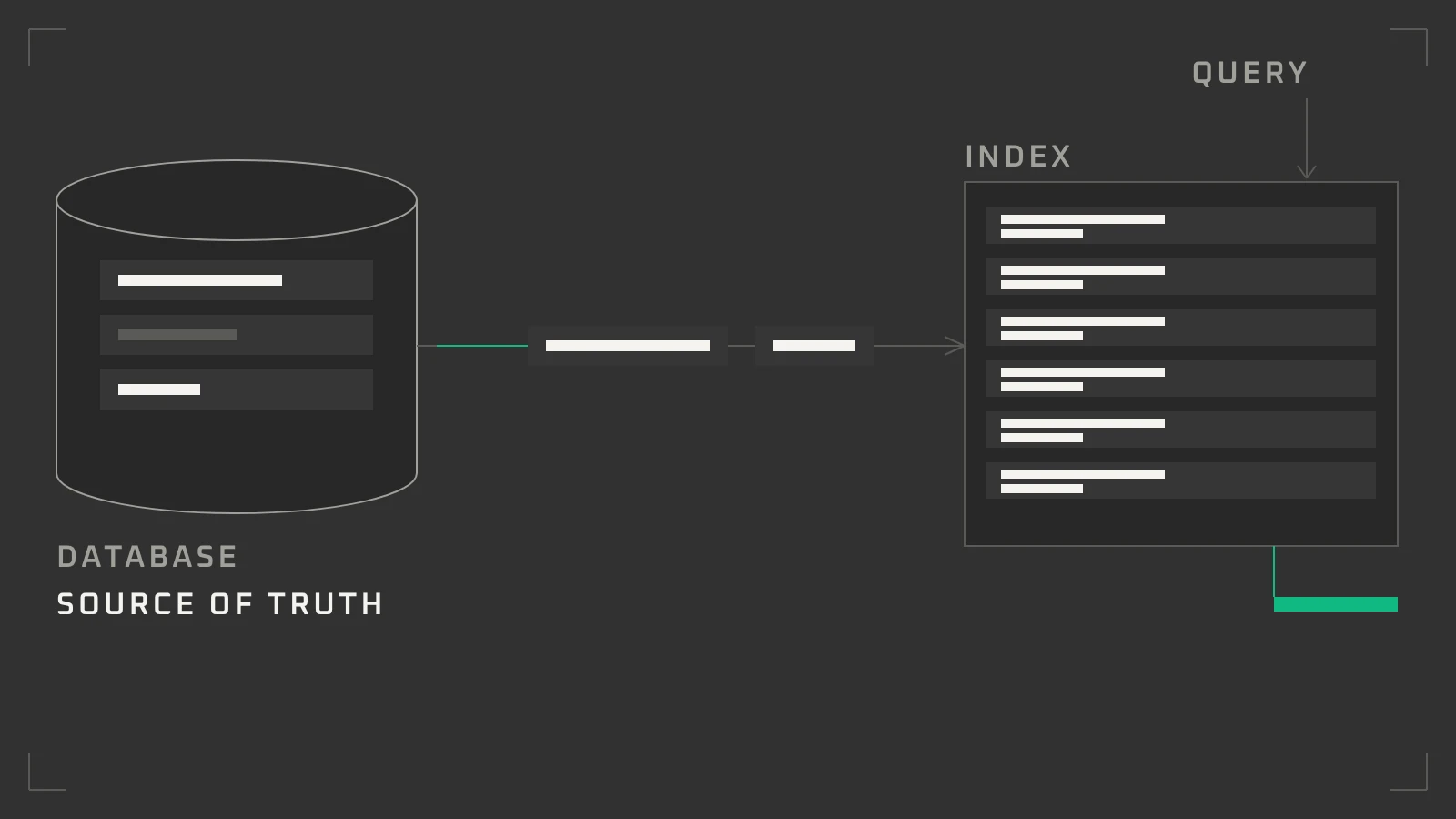
A content platform shows how they fit. Postgres stays the source of truth.
- The status filter and date sort use a B-tree.
- The search box runs full-text over titles and bodies.
- The same box uses trigram on titles and tags, so typos still find the article.
- The “related articles” rail uses vectors, so two pieces about the same idea connect without shared keywords.
Filter first with the cheap, exact indexes. Rank last, on the few rows that remain.
Here is that schema in Postgres:
-- 1. B-tree: exact values, ranges, sorting
--    WHERE author_id = 42
CREATE INDEX posts_author_idx ON posts (author_id);

-- 2. Trigram: typos and partial matches
--    WHERE title % 'postgrez'
CREATE EXTENSION IF NOT EXISTS pg_trgm;
CREATE INDEX posts_title_trgm_idx ON posts USING gin (title gin_trgm_ops);

-- 3. Full-text: words and relevance
--    WHERE to_tsvector('english', title || ' ' || body) @@ to_tsquery('english', 'database & performance')
CREATE INDEX posts_search_idx ON posts
  USING gin (to_tsvector('english', title || ' ' || body));

-- 4. Vector: meaning and similarity
--    ORDER BY embedding <=> query_vector LIMIT 5
CREATE EXTENSION IF NOT EXISTS vector;
CREATE INDEX posts_embedding_idx ON posts
  USING hnsw (embedding vector_cosine_ops);
Each line above is a normal CREATE INDEX statement, so the reference covers the options for every one.
6. Where Elasticsearch Fits
Elasticsearch is a separate search engine, not another Postgres index. It runs as its own service and builds its own indexes.
It earns its place when search is the product. It has strong relevance controls, fuzzy matching, highlighting, filtering, aggregations, and one query across many fields. It also scales across machines.
It also adds work. Data must be copied and kept in sync. Someone must own reindexing, mapping changes, memory, and uptime. Another system can fail.
For most small and medium apps, start with Postgres. B-tree, trigram, full-text, and pgvector cover more than people expect, with one source of truth. When you outgrow them, put Elasticsearch beside Postgres: sync the fields that need searching, and let Postgres remain the system of record.
Pick the Smallest Tool
Search feels hard because one word covers four jobs: an exact lookup, a forgiving match, a keyword search, and a semantic search. Each has a tool that is honest about what it does.
Start with the question your users ask. Then pick the smallest tool that answers it. If you want that decision handled for you, our web development work starts with the data model, the queries, and the indexes that keep a product fast after launch.
YOUR SEARCH PROBLEM
Tell us what people are trying to find in your product. We will tell you which of these tools fits, what it costs to run, and what it will not do.